 server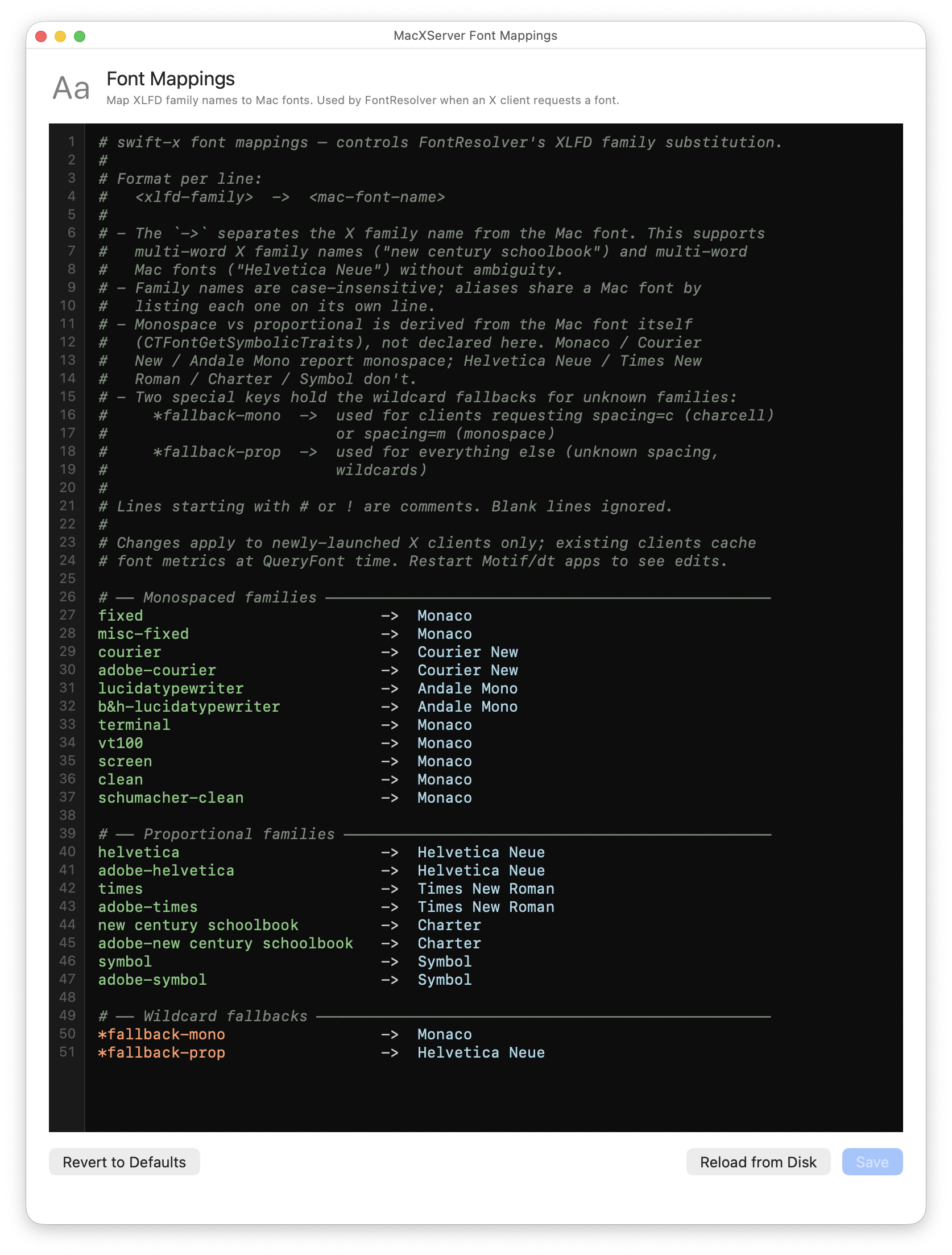
What it does
X clients name fonts the way they did in the early 90s: short family names like
fixed, helvetica, courier, lucidatypewriter, terminal. macXserver maps
every one of those names to a real Mac font through a small editable table. Edit
the mapping, hit Save, and the next X client that asks for a font picks up your
change.
There are also two wildcard fallback rows at the bottom of the table:
fallback-mono— catches any X font request that names a family macXserver hasn’t been told about, when the request specifies a monospaced spacing.fallback-prop— same but for proportional requests.
So even a Motif app that asks for charcell or clearlyobscure gets
something sensible to render with, instead of nothing.
A vintage X client decided 30 years ago what font names it was going to ask for. Most of those names point at bitmap fonts that don’t exist on a modern Mac. Without a curated mapping, the server has to guess — and “guess” usually means “fall back to a default” which means every app ends up rendering with the same font no matter what it asked for.
macXserver ships with a curated default mapping that does the right thing for
the common cases (fixed → Monaco, helvetica → Helvetica Neue,
courier → Courier New, times → Times New Roman, etc.). The editor
lets you change any of those mappings to suit your taste, or to add families for
apps that ask for something unusual.
Technical detail
The file lives at ~/.macxserver-fonts. Each non-comment line is xlfd-family -> mac-font-name:
fixed          -> Monaco
helvetica      -> Helvetica Neue
times          -> Times New Roman
courier        -> Courier New
lucidatypewriter -> Andale Mono
*fallback-mono -> Monaco
*fallback-prop -> Helvetica Neue
Family names are case-insensitive. Multi-word Mac fonts ("New Century Schoolbook") can be quoted; aliases share a Mac font but list each on its own
line. Monospaced vs proportional spacing is derived from the Mac font’s
CTFontGetSymbolicTraits, not declared in the mapping — so when you
change Helvetica Neue to Inter, the spacing classification follows
automatically.
Changes take effect for newly-launched X clients. Existing clients have already
done their QueryFont round-trips and cached the metrics, so they don’t see the
change until they restart. The editor’s Save button writes the file,
FontResolver re-parses it, and the in-memory mapping table updates immediately
for the next client connection.
The Font Mappings editor and the Resources editor are independent — this one controls X font name resolution; the Resources editor controls Motif widget defaults (which fonts each XmText widget asks for, for example). Together they cover how vintage clients look on your Mac.
Related
- The font mappings file plus the editor shipped on Day 19 .
- The substitution table was promoted from hardcoded to user-editable on the same day.
- See Day 5 in the ledger for the cell-sizing principle that makes any of these mappings render at iTerm2 quality.
- See Anti-aliased font rendering for what happens with the Core Text font after the mapping picks it.